
A retail demo with a beginning, middle and close
A register demo should answer what happens next. Use this sequence to connect the product picked at the counter with the receipt, the stock movement and the owner’s view at closing time.
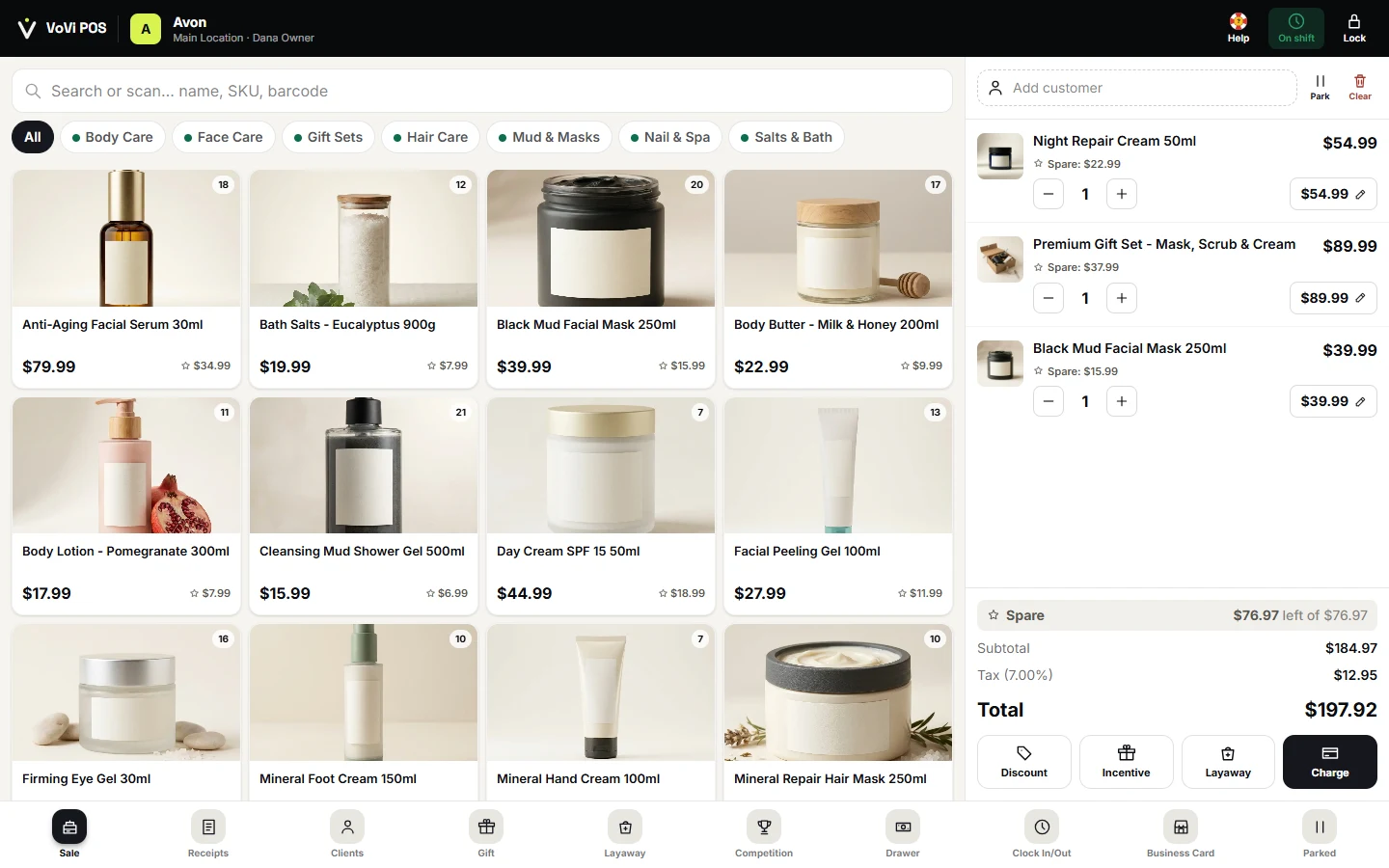
Give the cashier a real shopping story
Imagine a customer buying a cream, a gift set and a mask. Ask the cashier to find one item by name, scan another and select the third from the product grid. Before taking payment, check quantities and confirm the actual variant. Change one quantity and remove an item added by mistake. These ordinary corrections reveal whether the team understands the basket or merely follows a memorized sequence.
Use your own products in the live trial after this visual walkthrough. The archived screenshot illustrates the interface in English; it is not a recording of a complete payment and does not prove the behavior of every action shown. The demo amounts stay exactly as captured so that the image remains an honest reference.
Make the exception part of the sale
Ask for a modest discount, then ask for one that should require a manager’s decision under your store policy. Have staff explain whose permission is needed and where the final price appears. If your shop offers layaway, store credit or split tender, include that exact workflow in a separate scenario. A label on a screen is a reason to investigate; successful completion with your rules is the evidence you need.
Follow the payment and the return
For cards, continue to the external terminal and confirm the payment outcome before finishing the sale. VoVi software is not itself the card processor. Rehearse a declined attempt without leaving a falsely paid receipt. Then return one item from the completed sale. Check the original price, refund method and whether the item returns to sellable stock. Keep the receipt identifiers so the owner can find the same events later.
Close the loop in the back office
At the end, ask a different person to locate the sale and return in the relevant report. Reconcile the transaction totals, payment totals and inventory change. A good result is explainable: two people should arrive at the same account of what happened. Any mismatch belongs on the trial issue list with a screenshot and a clear reproduction step, rather than being dismissed as a demo quirk.
Try the report with a narrow date and location filter first, then broaden it. Ask the owner to identify which transactions were added to the result and why. A store trading across midnight should also check the chosen business-day boundary. This is an acceptance exercise with known sample transactions, not a performance benchmark. Keep the same sample when you repeat the demo after a configuration change, so differences can be investigated rather than guessed.
- Save the expected result before the trial and the observed result afterward.
- Repeat the essential sequence with the employee who will use it during a busy shift.
- Resolve every payment, tax-total or stock discrepancy before live trading.
Sources & verification
Provider details can change. Confirm your written quote and local requirements before signing.